
Sign in
Open Webmail and enter the complete address plus the password assigned to that mailbox.
Add and isolate accounts
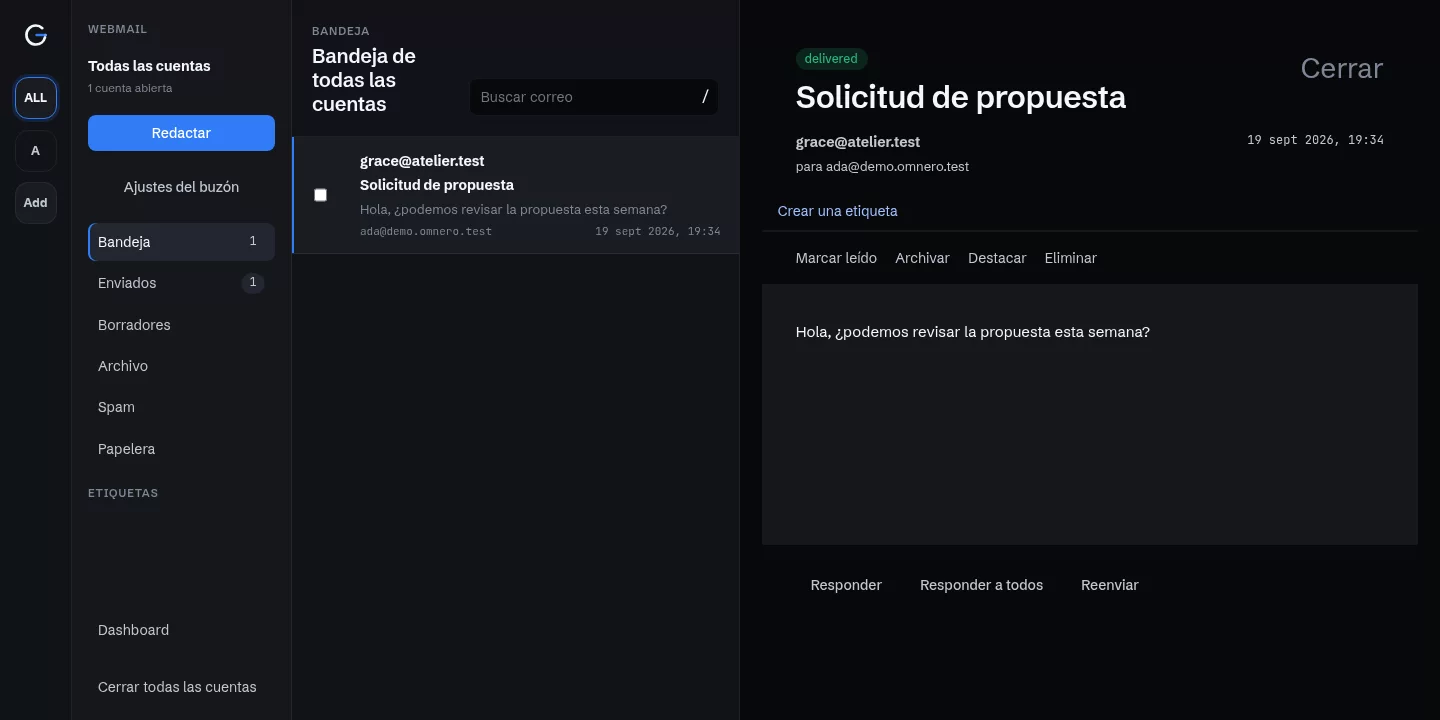
Open the account selector to see each name and email address. Add another account authenticates another mailbox. All accounts combines the inboxes; selecting one mailbox isolates its messages and sender identity.
Compose, attach, and get writing help
Choose the sending account and add CC or BCC. Replies start at the beginning of the editor, and the configured signature is added automatically. Writing help opens when you need it; review the text before sending. Attachment uploads are subject to file and request size limits.
Keep drafts and attachments
Drafts save automatically on the server and retain uploaded attachments when reopened. Closing waits for saving; if it fails, the editor stays open with Retry. Changing sender requires attaching files again because they belong to the mailbox that uploaded them.
Organize, reply, and print
Select messages to apply actions together. Reply, Reply all, and Forward are available at the top of the reader. In Trash, Restore returns a message to Inbox. Delete permanently removes the selected messages and their attachments from that mailbox after confirmation. Messages expire after 30 days in Trash and cannot be restored; restoring and later deleting again starts a new 30-day period. Print message opens a private print view with the complete text and attachment list, ready to print or save as PDF.
Create a quick incoming rule
On a received message, More actions → Create incoming rule prefills the sender. Edit the subject condition and choose Spam, Trash, Archive, or Inbox. The rule applies to new messages and can be edited in mailbox settings; it does not move existing messages.
Settings and action feedback
Saving a signature or automatic reply preserves line breaks, spaces, and tabs. Confirmations explain the action; canceling keeps your current state. Result notices let you continue using the inbox.
Sign out independently
Signing out of Webmail does not close the dashboard, and dashboard logout does not close Webmail.